Schema Explorer
The Explorer (Cmd+1, or Cmd+B to show / hide) lists your connections and, under each, the database's objects. It is built for servers with thousands of schemas and tens of thousands of tables: names are read a page at a time and only when you open them, in the background, so the window never waits for the catalog.
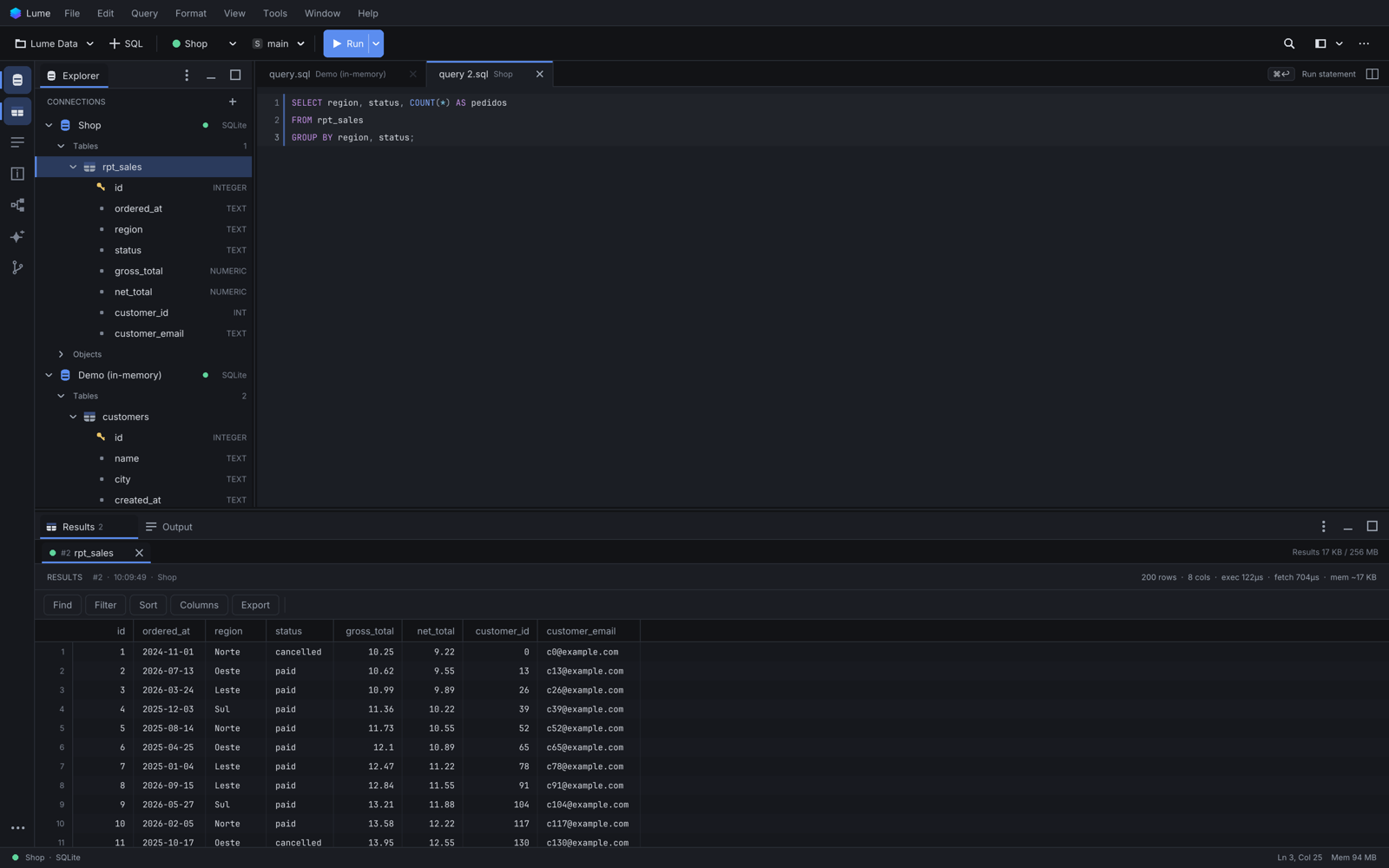
Connections
Right-click a connection for New Query, New Table..., New ER Diagram..., Refresh, Edit Connection..., Duplicate Connection..., Connect / Disconnect and New Connection.... See Managing connections.
Schemas and Others
Under a connection, Schemas (MySQL / MariaDB: Databases) shows the schemas that matter to you: the current one, the ones you pinned, the ones you used recently and a few with objects you can see. Others, always last, holds the rest. It shows a count, Others (12,200), only when that number is exact and cheap to get. When the whole catalog is small, every schema is listed directly and Others is hidden. SQLite shows its tables directly.
- Others: right-click > Load First Page / Load More, Search in Others..., Refresh Others.
- A schema: right-click > Open SQL Console, New > Table..., New ER Diagram..., Find Objects..., Refresh, Verify Visible Objects, Pin to Schemas (or Unpin (Move to Others), not offered for the current schema), Copy Qualified Name, Properties.
- Schemas itself: Search Schemas..., Refresh, View Options..., Show All Schemas / Compact View, Copy Loaded Names, Properties.
Pinning or moving a schema never touches your open tabs.
View Options
- Compact: highlights + Others (default), All names (paged) or Pinned only.
- Show system schemas (marked as such; search always includes them).
- Highlight recent schemas, Highlight owners with known objects, the number of automatic highlights and the page size.
- Discover owners with objects: an optional, bounded catalog query (Oracle) that finds more schemas worth highlighting.
- Reset for this connection.
Properties says why a schema is listed where it is and what is known about its visible objects. Lume never calls a schema "empty": not seeing objects may only mean your login cannot see them.
Search and Find Objects
- Cmd+F in the Explorer (or Search Schemas...) searches schema names on the server, by prefix, across pages never loaded. Choose Contains for a substring search. Results offer Open, Reveal in Explorer, Pin, Copy Name and Properties.
- Find Objects... on a schema searches its objects by type and name: tables open a preview, views and routines open in the object editor.
- Quick Open (Cmd+P) finds tables, views, schemas and connections already loaded in any connection, without querying.
Tables
- Double-click a table to preview its rows.
- Right-click for Modify Table..., Edit Data, Generate SQL > CREATE, Duplicate Structure..., Dependencies..., Show ER Diagram, Add to Current Diagram and Drop Table... (always confirmed).
- Cmd+click several tables, or Shift+click a range, then Show ER Diagram (N tables).
A schema's table list shows its first 5,000 tables and views; beyond that it says so and points to Find Objects....
Views, routines and other objects
Under a schema, Objects groups list views, materialized views, functions, procedures, triggers, packages and types (what the database has). Double-click one to open its definition in the object editor. An object whose definition is invalid is marked INVALID in red; one with a local draft is marked draft.
Refresh
View > Refresh Explorer (Cmd+R) reads the structure again. Lume does not notice by itself when you create or drop objects or change grants from the editor: refresh the connection, the schema or Others after such changes.
Catalog reads use the connection's session: while a long query runs in the editor, the tree waits for it.
Keyboard
Arrows move and expand, Enter opens, Shift+F10 or the Menu key opens the context menu.